Contact support:
Select country or language

Telegram inside Bitrix24, through ChatApp

Bring Telegram into your Bitrix24 sales funnel in about five minutes. Keep every conversation and build up the communication history right in the customer card. Stay in control of your team’s chats.

Telegram — together with all your channels in the Bitrix24 unified inbox

Keep the conversation going in ChatApp

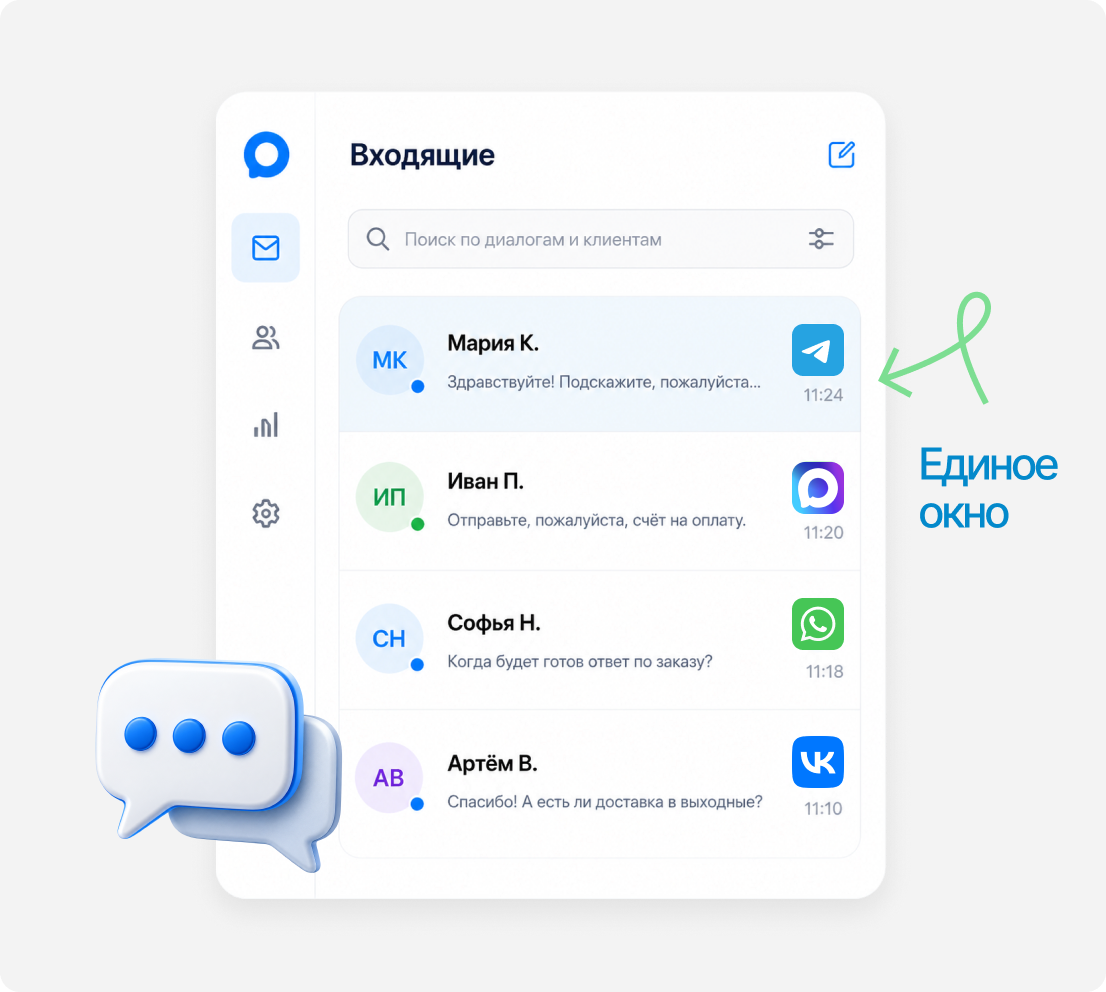
The customer writes in Telegram, and the manager replies from the Bitrix24 unified inbox.

The whole team sees Telegram conversations

Chats sit alongside WhatsApp, MAX, VK and other connected channels.

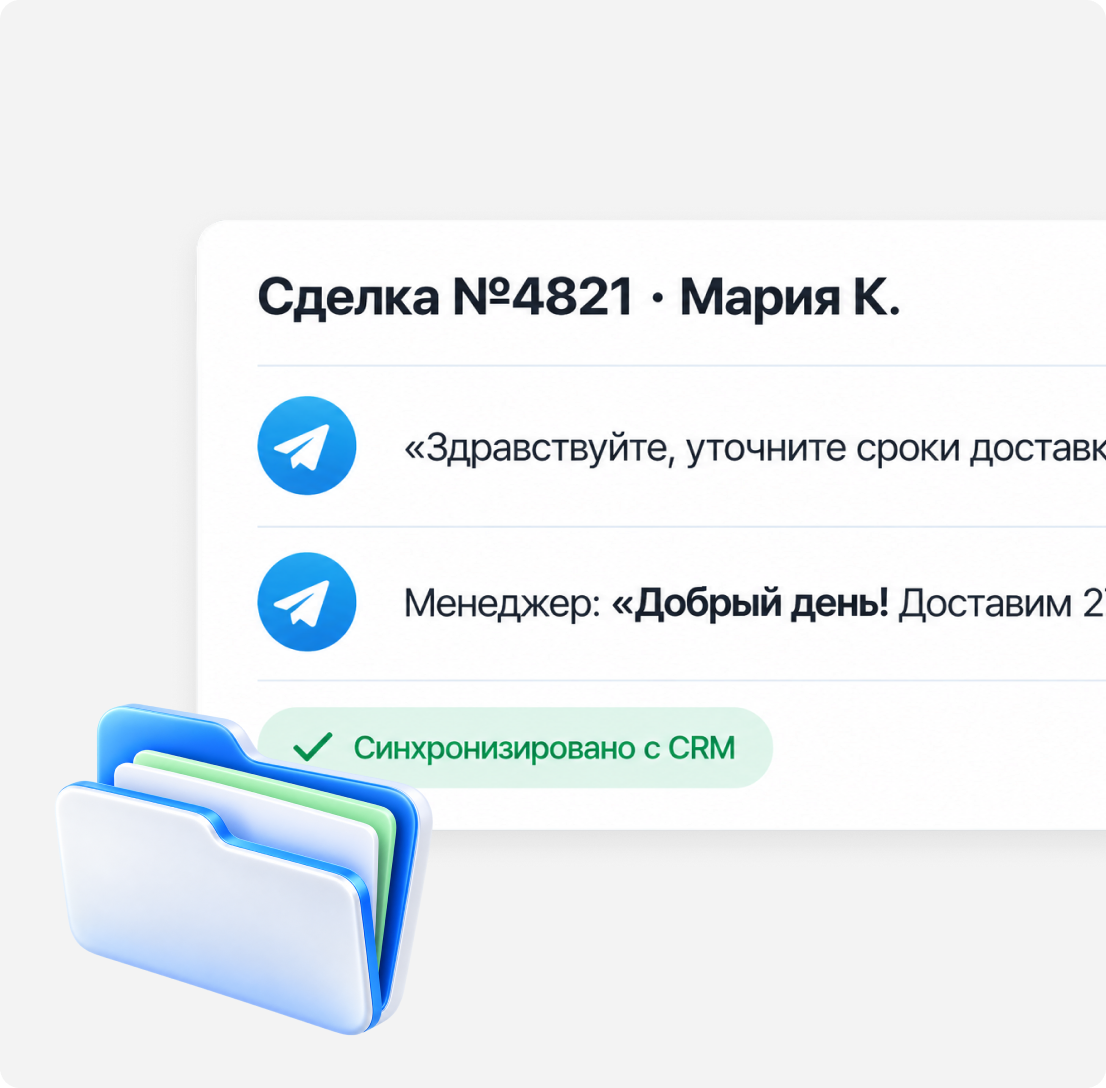
The entire communication history in one place

It’s clear who replied to the customer, where and what they said.

A Telegram conversation lands in the Bitrix24 deal card automatically

Stop copying conversations by hand

A Telegram conversation is automatically linked to the right customer in Bitrix24.

Work in the Bitrix24 you already use

The integration is built deep into Bitrix24 and works as a native channel in the open line.

Create contacts and deals automatically

If the customer isn’t in Bitrix24 yet, a new Telegram conversation creates a contact or deal card.

Personal Telegram vs. Telegram bot: what’s the difference?

Message a customer first by phone number or @username
Receive and reply to messages
Connect group chats
Send broadcasts to your customer base
Get message sent and delivered statuses
Collect contacts from Telegram groups
Integrate Telegram with Bitrix24
Run Bitrix24 robots and business processes
Personal Telegram
Message a customer first by phone number or @usernameYes
Receive and reply to messagesYes
Connect group chatsYes
Send broadcasts to your customer baseYes
Get message sent and delivered statusesYes
Collect contacts from Telegram groupsYes
Integrate Telegram with Bitrix24Yes
Run Bitrix24 robots and business processesYes
Telegram bot
Message a customer first by phone number or @usernameNo
Receive and reply to messagesYes
Connect group chatsYes
Send broadcasts to your customer baseYes
Get message sent and delivered statusesNo
Collect contacts from Telegram groupsYes
Integrate Telegram with Bitrix24Yes
Run Bitrix24 robots and business processesYes

Need a Telegram Bot to automate communication?

Use a Telegram Bot for scenarios where you need to reply automatically, collect data or route requests.

Why Telegram may ban a number and what to do after a ban

Messaging from a personal number can sometimes raise suspicion with Telegram.

Learn more
01

Messaging without consent

Messages to cold contacts that look like spam to the customer. "Spam" reports from recipients are the main ban trigger.

02

New number and a sudden spike

You’ve just registered a number and immediately send dozens of identical messages to strangers. Anti-spam algorithms react almost instantly.

03

Unofficial API

"Userbot" scripts and emulators instead of the official Telegram API and Bot API are a direct violation of the platform’s rules.

04

Content and links

Shortened links, the same text for everyone and "loud" offers increase complaints and trigger anti-spam filters.


What to do after a ban

Stop sending
File an appeal via @SpamBot
Switch to the official Telegram Bot API channel via ChatApp
Message people who engage with you or write first

Telegram and Bitrix24 integration FAQ

It depends on how many channels you use. The Telegram connection to Bitrix24 itself is free — you pay only for the messengers and social networks you actually run. Work out the total with the online calculator.

Install the ChatApp app from the Bitrix24 Market, choose how to connect Telegram — a personal account by phone number or a bot — attach the channel to your open line and set the queue of agents responsible for replies. If you need it, turn on the single window for all messengers.

ChatApp Dialogs lets you add as many operators as you need at no extra charge. To add one more, register them in the service and attach them to the line from your account.

Yes — from the Bitrix24 mobile app or from ChatApp Business. Everything the web version does works in the app, and all conversations are kept in both ChatApp Dialogs and Bitrix24.

Yes — three days free. That’s enough to connect your messengers to the CRM and try out the ChatApp tools: bot, broadcasts, parser, inviter, quick replies and the site widget.

Take Telegram leads
straight into Bitrix24

Connect Telegram to Bitrix24 with ChatApp — every conversation, deal and chat history in one CRM.