



Install the app
Install the ChatApp app from the Bitrix24 Marketplace. Free, in one click.
 Казахстан
(русский)
Казахстан
(русский)
Connect the messenger to your CRM in 7 minutes, no developer needed. All conversations live inside Bitrix24, managers reply from the deal card, and the customer history stays with the company when an employee leaves.
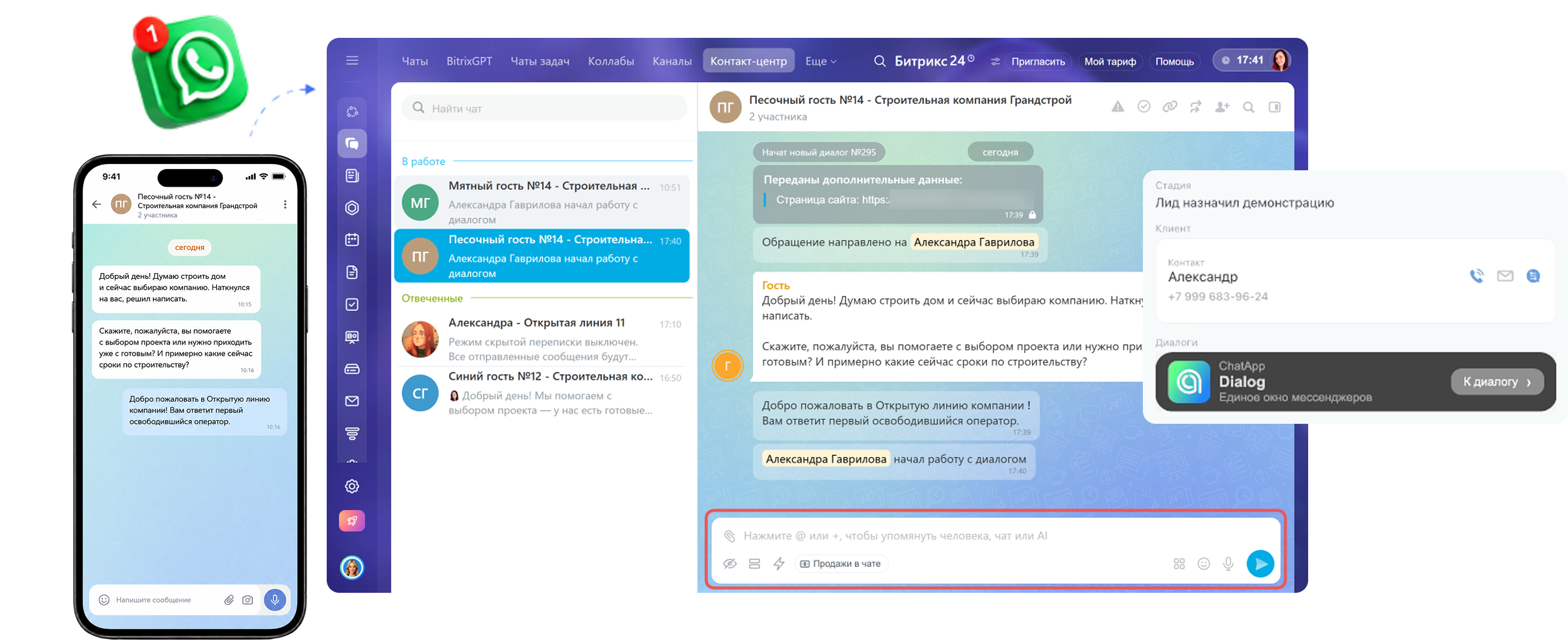
WhatsApp integration with Bitrix24 connects the messenger to your CRM through an intermediary service. Once connected, customer messages automatically arrive in Bitrix24 Open Channels and are saved to the customer card. Managers reply right from the CRM without opening their phone or WhatsApp Web.
companies use ChatApp
Average setup time
Communication channels in one inbox
Of clients are satisfied with support
On the Bitrix24 Marketplace
5 steps, no developer involved. Real-world time: 7 minutes.
Install the ChatApp app from the Bitrix24 Marketplace. Free, in one click.
Sign up for ChatApp. Enter your email and confirm the account — it takes 30 seconds.

Scan the QR code in the WhatsApp mobile app on the phone that will serve as the sales team's work number.

Authorize Bitrix24 in your ChatApp account. The service automatically pulls in your pipeline structure and list of managers.

Choose which employees receive messages from which WhatsApp number.
After step five, WhatsApp messages start arriving in the customer card in Bitrix24. You can also sync past conversations from this number, so no customer history is lost.
Managers don't switch between Bitrix24 and their phone. The customer chat is open in the right panel of the lead card. Conversation, purchase history and deal fields are all on one screen.
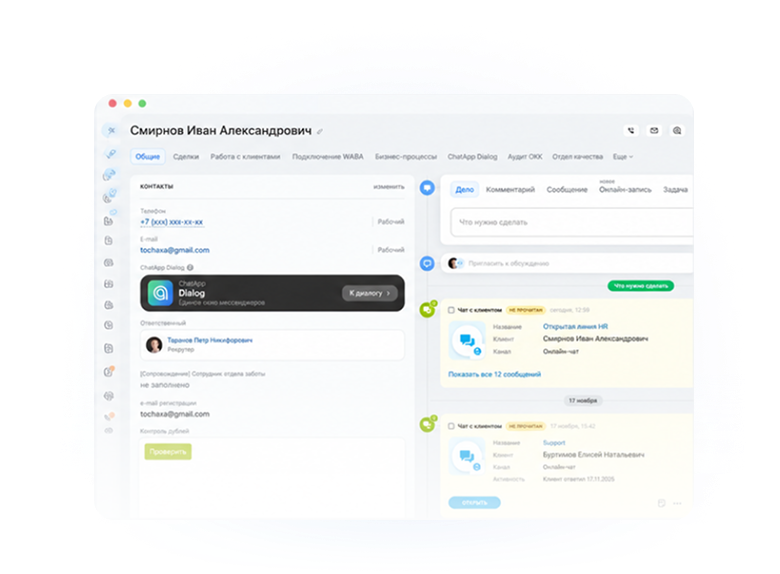
Start a WhatsApp conversation with a customer right from the Bitrix24 card, without switching to the messenger app.
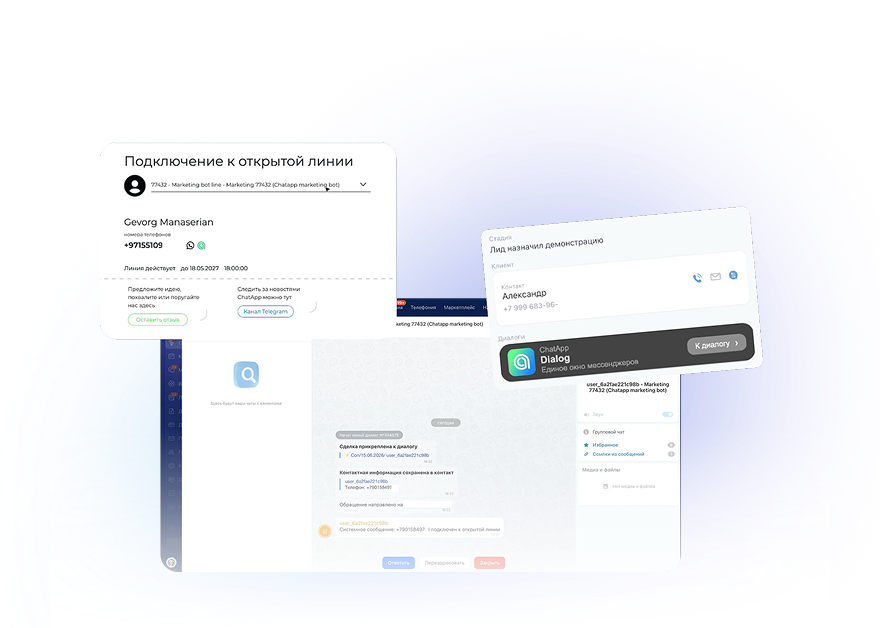
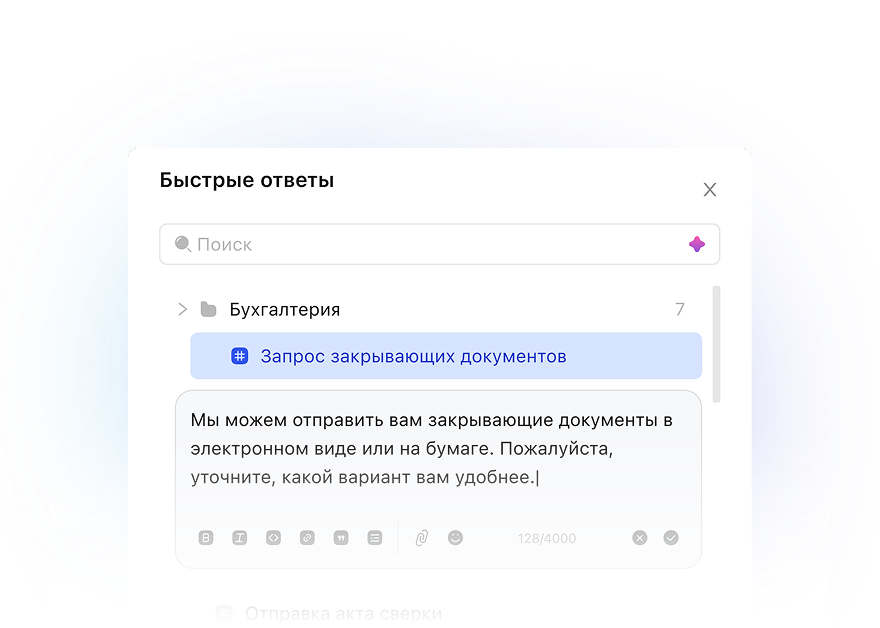
Ready-made answers to common questions go out in a couple of clicks.
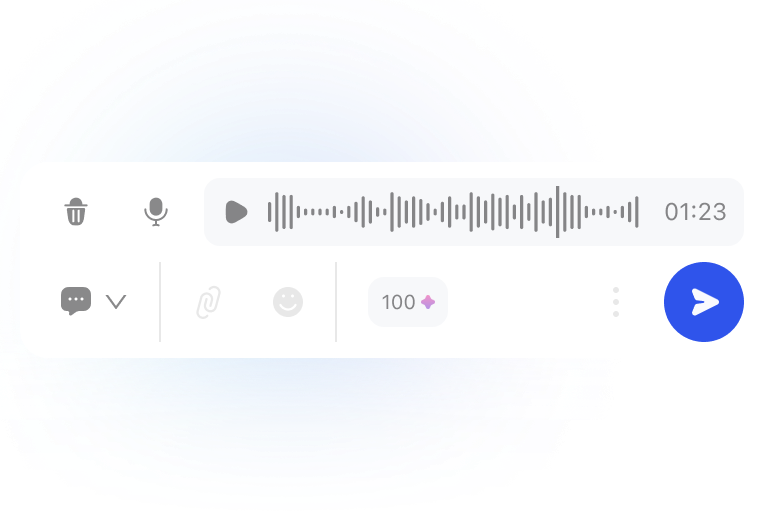
A customer's voice message is instantly converted to text. Managers get the point faster, and the conversation archive is available to the team lead.
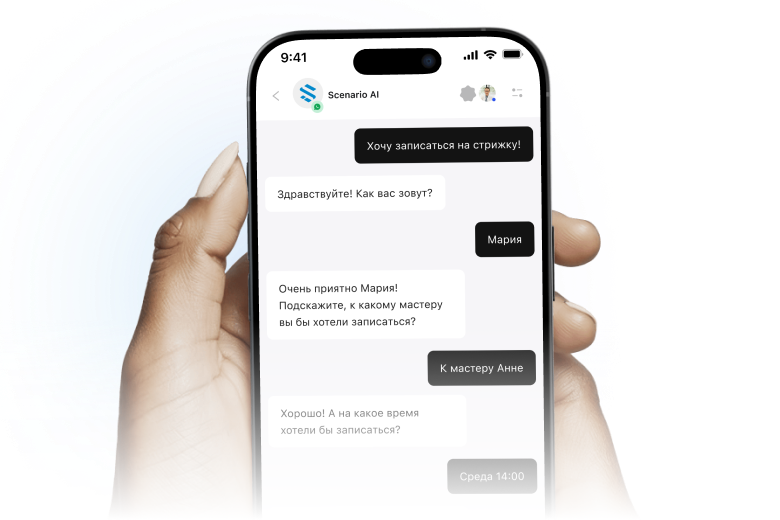
Reply to customers from the ChatApp mobile app for iOS and Android. All conversations sync with Bitrix24 automatically.
Each manager sees only their own customers, while the team lead sees all of the team's conversations in real time, broken down by manager.
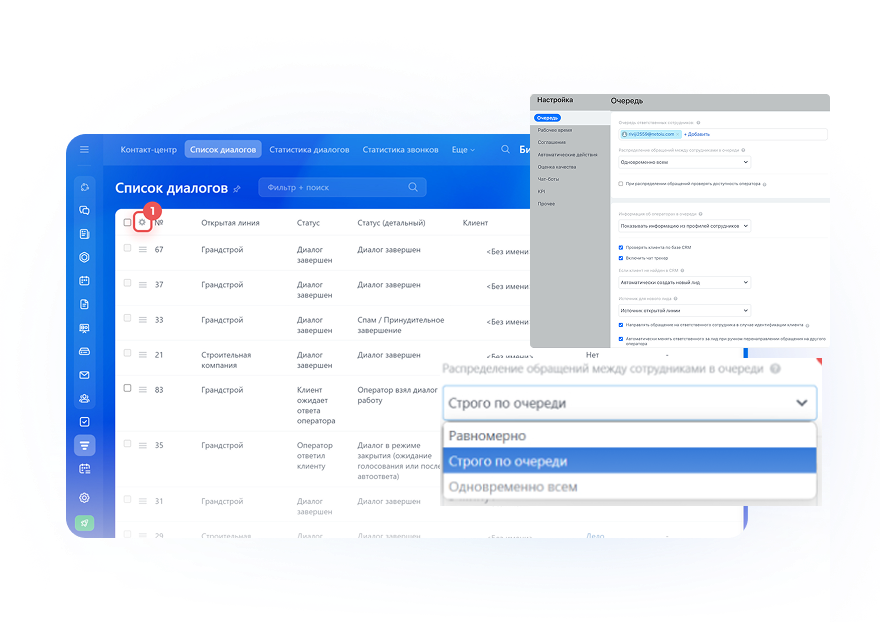
See every conversation of every employee — who talked to whom and when. Open any chat in one click from the customer card or the shared feed.
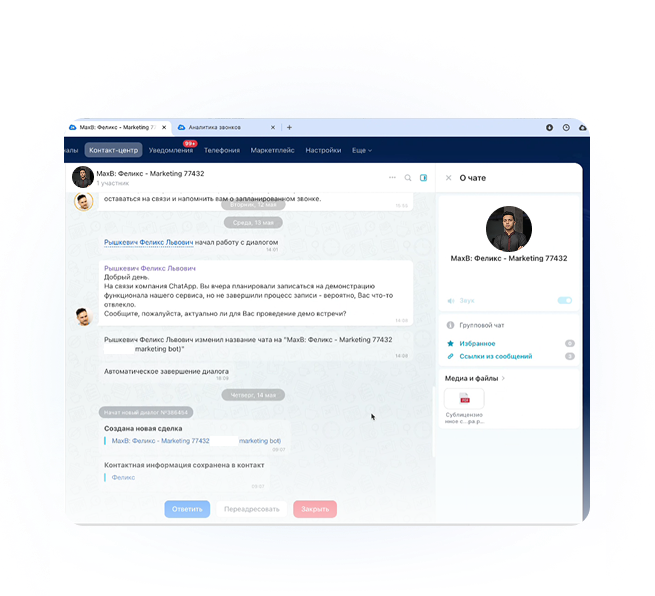
When a manager leaves, their contacts, history and open deals are automatically handed over to another employee. The customer base lives in the CRM, not on an employee's phone.
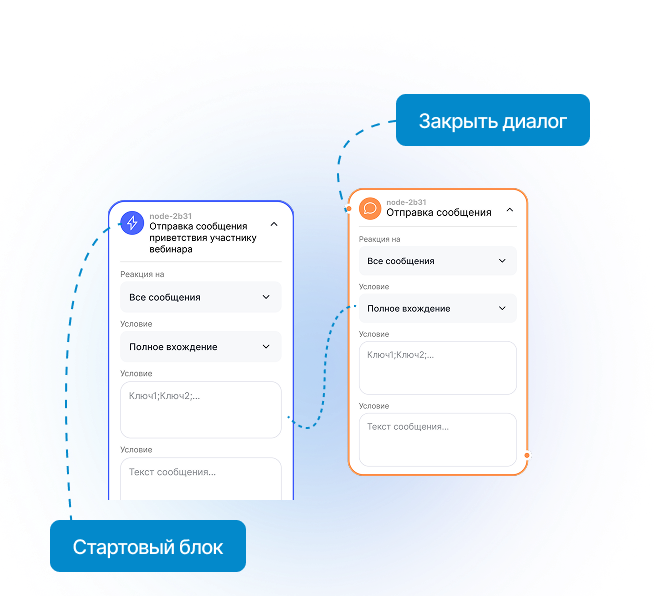
Use the ChatApp bot builder and Bitrix24 business processes to set up auto-replies, trigger messages, reminders and confirmations. This lightens the managers' load and speeds up the first response.
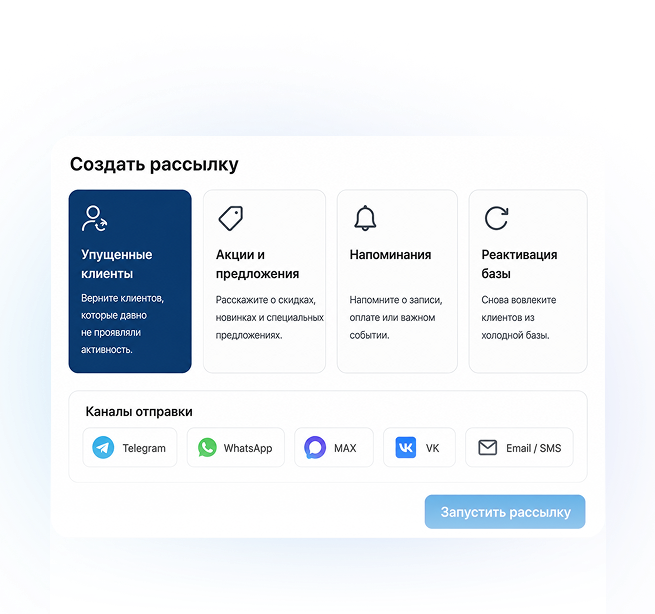
Send segmented bulk messages to conversations where you have already talked with customers. For cold contacts, use the official WhatsApp Business API (WABA) channel.
Order confirmations, delivery notifications and product questions handled right in the deal card.
Bookings via WhatsApp, reminders a day and an hour before, rescheduling — and the deal moves through the pipeline automatically.
Long communication cycles are kept in full. When a customer comes back six months later, the salesperson sees the whole history right away.
A customer's voice message is instantly converted to text. Managers get the point faster, and the conversation archive is available to the team lead.
A stream of inbound leads, nurturing, payment tracking. Chatbots answer common questions about the program, schedule and installments with no consultant involved.
Conversation history is stored in Bitrix24 and on ChatApp servers in secure data centers, and personal data is processed under Republic of Kazakhstan Law No. 94-V.
Conversation history is stored in your Bitrix24 account and on ChatApp servers in secure data centers.
ChatApp complies with Republic of Kazakhstan Law No. 94-V "On Personal Data and Its Protection".
The connection between Bitrix24 and our servers is secured with TLS 1.3. Data is never shared with third parties.
For bulk messaging, ChatApp connects the official WhatsApp Business API. It is the legitimate way to start a conversation with a customer using Meta-approved message templates.
Per-channel pricing with no hidden fees per "active user" or "processed conversation". The full price list is published on the website.
Support is handled by real specialists. Average first response time is 10 minutes, and 97% of clients are satisfied with the service.
Setup is a standard 5-step procedure with no custom work or developer involvement. It lowers the entry barrier and the time to first value.
For your first connection, a ChatApp manager can set everything up for free over a video call. There are also detailed guides in the knowledge base.
*Personal channels include: term discount, volume discount, package plan
*Regular channels/social networks include: term discount
On October 1, 2026, Meta will change the rules for message pricing…
Now you can send bulk messages via "white" WhatsApp (WhatsApp Business API…
No hidden fees or commissions
Now you simply buy a package and pay for dialogs in a…
The integration starts at $15 per month per channel (one WhatsApp number). The starter plan covers the basics; the business plan adds chatbots, group chats and advanced templates. Bitrix24 itself is paid for separately, and the ChatApp marketplace app is free to install.
About 7 minutes, and no developer is needed. Install the ChatApp app from the Bitrix24 Marketplace, sign up, scan the WhatsApp QR code and authorize Bitrix24 in your account. After that, customer messages start arriving in Bitrix24.
Yes, there is no limit on the number of connected numbers. Each number is a separate channel in the ChatApp plan. Managers can be assigned to specific channels — for example, sales on one number and support on another.
Using ChatApp does not in itself break WhatsApp's rules. The risk of a ban comes from abuse: bulk messaging to cold contacts from a regular number, spam, fake accounts. For legitimate bulk communication, use the WhatsApp Business API (WABA), which ChatApp connects separately.
Regular WhatsApp is a messenger for personal use. You can reply to customers from it through ChatApp, but bulk messaging is prohibited. The WhatsApp Business API (WABA) is a separate Meta product for businesses: official template broadcasts, a verified green checkmark, buttons and catalogs. WABA is connected through ChatApp as a separate channel.
The integration takes 5 steps. Install the ChatApp app from the Bitrix24 Marketplace, sign up for an account, scan the WhatsApp QR code, authorize Bitrix24 and assign channels to managers. A dedicated ChatApp manager runs free onboarding over a video call.
No, the integration works with both cloud and on-premise Bitrix24. For the cloud version, the app is installed from the Marketplace. For on-premise, you need administrator access and a basic webhook setup.
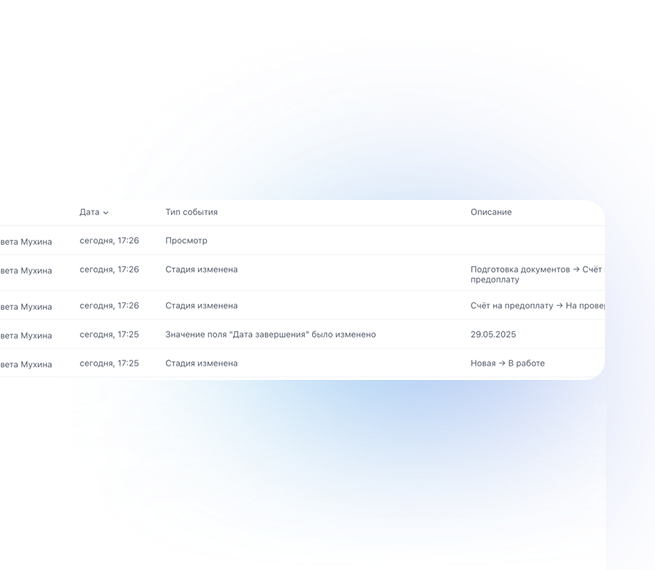
Contacts and chat history stay in Bitrix24 — they are stored in CRM customer cards, not on an employee's phone. The team lead reassigns customers in a click or two. The new manager sees the full history right away and picks up the conversation where the previous one left off.
Yes. Chatbots and auto-replies are set up in the ChatApp bot builder. For example, when a new lead is created, a welcome message is sent to WhatsApp automatically; after an hour with no reply, a reminder goes out; after a day, the lead moves to another status. The scenario is built without any coding.
Yes. From regular WhatsApp, broadcasts are only allowed to warm contacts (people who have already talked to the company). For bulk messaging to a contact list, use the WhatsApp Business API (WABA) with Meta-approved templates. ChatApp supports both options.
All history stays in Bitrix24 — it is stored in CRM customer cards from the start. After you cancel, new WhatsApp messages stop coming in, but the accumulated conversations are fully preserved and remain available in Bitrix24.


