
Messenger Integration with CRM
for Sales and Support Teams
Connect WhatsApp, Telegram and MAX to your CRM in 15 minutes. Send the first message from the CRM and keep your customer base in-house. Full sync of chats, contacts and deals with Bitrix24 and amoCRM.






Ready-made modules and guides for integration with popular CRMs




How your sales team works
after integration
No more lost leads
All messages from MAX, Telegram, WhatsApp and other channels automatically create deals in the CRM and are distributed among managers.

Faster response times
Managers no longer switch between apps. Templates, quick replies and AI hints speed up every interaction.

Customer base stays
with the company
Chat history and contacts stay in the CRM, not on employees' personal phones. Manager leaves — customer stays.

Full control over conversations
The manager sees all chats inside client cards, checks script compliance and response speed. Access control — each employee sees only their own chats.

What our clients face and how
we solve these problems
Real pain points we hear every day from sales teams, business owners and contact centres. Each one has a concrete solution through ChatApp features inside your CRM.
Messengers keep disconnecting from the CRM and we lose conversations
"WhatsApp went down on Friday evening and we only found out on Monday. Clients were writing — nobody replied. Half were lost, the other half were furious."
 24/7 channel health monitoring — instant Telegram and CRM notifications on disconnect
- Early blocking-risk alerts (limits, complaints, suspicious activity) sent to the manager's messenger in advance
- Clear per-message statuses: Sent, Delivered, Read, Error
- Priority integration support — your ticket never gets lost in the queue
- Disconnect statistics per channel — see where the weak points are
We can't message clients first from the CRM — we waste time starting conversations manually
"The client submitted a request, but WhatsApp is blocked for outbound messages from the deal card. We have to start the chat from a personal phone — inconvenient, uncontrolled, the base leaks."
- Send the first message right from the CRM: from a lead, deal or contact card — via WhatsApp*, Telegram, MAX
- Support for personal accounts (WhatsApp*, Telegram) and business accounts WABA* / WhatsApp Business
- Robot-triggered sending (stage change, field filled, X minutes after a request)
- Bulk CRM campaigns to your customer base — segmented, without phones in hand
I can't see conversations in the CRM card. History is lost and I can't monitor quality
"Managers chat on their phones, the deal is empty. I don't know what they're telling clients: breaking scripts, being rude, losing customers. And I have no way to check."
- Full sync of all inbound and outbound messages with the CRM card — including from personal phones
- Messages are linked to the client card and to the manager's name (tagging)
- The manager sees the full conversation history: tone, response speed, script compliance
- Duplicate contact and deal control — no mess in your CRM
Sales reps steal the customer base. When they leave, clients go with them
"A salesperson quit and 200 contacts disappeared. They handled chats via their personal WhatsApp* and the clients stayed with them. We don't even know who they talked to."
- All conversations are saved in the CRM — even if the manager wrote from a personal phone
- Client contacts never end up in the salesperson's personal address book
- When someone leaves, the entire base stays with the company — chat history is available to the new employee
- Conversation access control: managers see only their own chats, the supervisor sees all
- Block personal messengers (optional) — all communication goes through the CRM only
A message wasn't delivered to the client and we didn't know. No unified inbox for conversations
"The message went to WhatsApp* but the client never received it. We found out three days later. And nobody could tell which messenger the client actually uses."
- Unified messenger inbox: all chats from WhatsApp*, Telegram, MAX in one interface
- Send error notifications — you see immediately when a message wasn't delivered
- Find the client's active messenger — the system suggests where to send right now
- Cascade sending: not delivered in WhatsApp → automatically try Telegram → then MAX
- Recommendation to add a backup channel when risks are detected
Employees can see each other's conversations and contacts. No accountability
"Any manager can open any deal and read a colleague's chat. They can also see the client's phone number and poach them. Chaos."
- Conversation access control by department, group and individual owner
- Track who is responsible for each deal and chat
- Hide client contacts from managers — they write through the CRM but don't see the numbers
- Permission separation: view only your own conversations / fields / contact cards
- Roles: owner, creator, observer — full accountability transparency
Your pain point isn't on the list? Book a demo — we'll work through your scenario together.
The complete toolkit inside your CRM
Beyond the messenger connection itself, ChatApp adds capabilities to your CRM that usually require separate services: bulk campaigns, a bot builder, an AI assistant and a unified inbox for all channels.
AI Employee
The AI employee handles first-line questions, consults, asks the right questions, qualifies the lead and hands the conversation to the right team member or CRM.

Unified Messenger Inbox
All chats from MAX, Telegram, WhatsApp*, VKontakte and Avito are collected in one ChatApp Dialogs interface, embedded in the CRM.
Bot Builder
No-code scenarios: greeting, lead qualification, transfer to a manager, surveys.
Automatic Deals
Every inbound message creates a lead or deal in the CRM. The channel source and client contact details are saved to the card automatically.

Bulk Campaigns & Re-engagement
Mass messages to base segments directly from the CRM. Perfect for promotions, re-engagement and service notifications.

Templates & Quick Replies
A library of ready-made replies with variables speeds up handling of routine enquiries 3–5×.













Choose your CRM
The ready-made module is installed from the CRM app marketplace.
Any other system can be connected via open API.
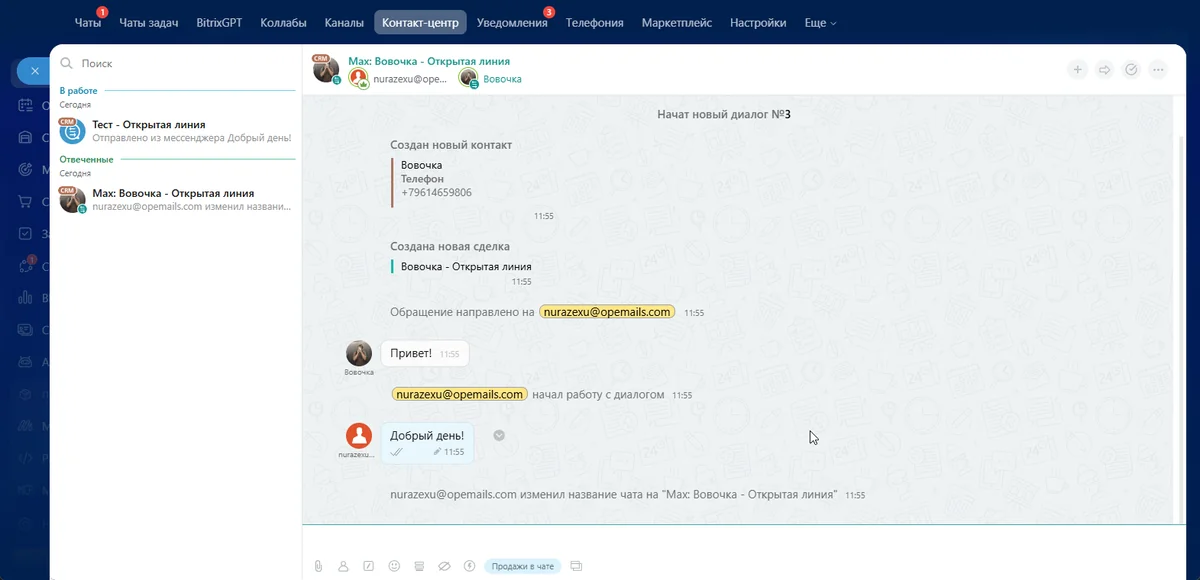
Bitrix24: deep integration and Open Lines
- Support for Bitrix24 robots, business processes and CRM marketing
- Telegram and WhatsApp group chats in Open Lines
- Send the first message by phone number or @username
- Read and delivery statuses directly in the deal card
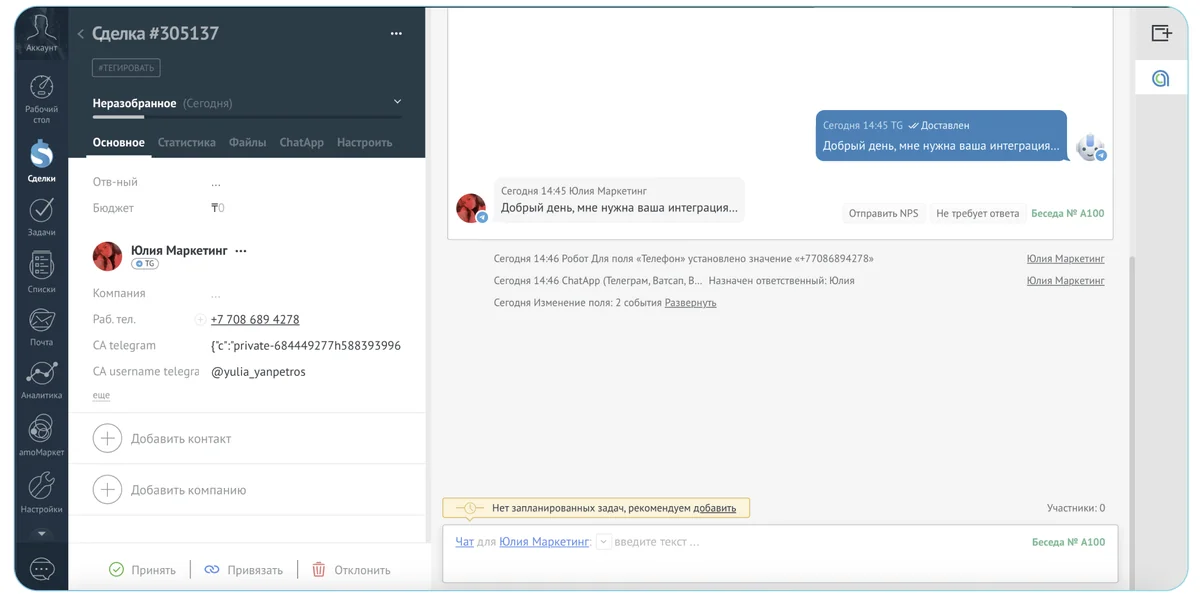
amoCRM: chats and Salesbot in one window
- ChatApp widgets in Salesbot: send a message, file, tag
- Company-wide quick reply and template library
- Check which messenger the client uses
- Black and white contact lists
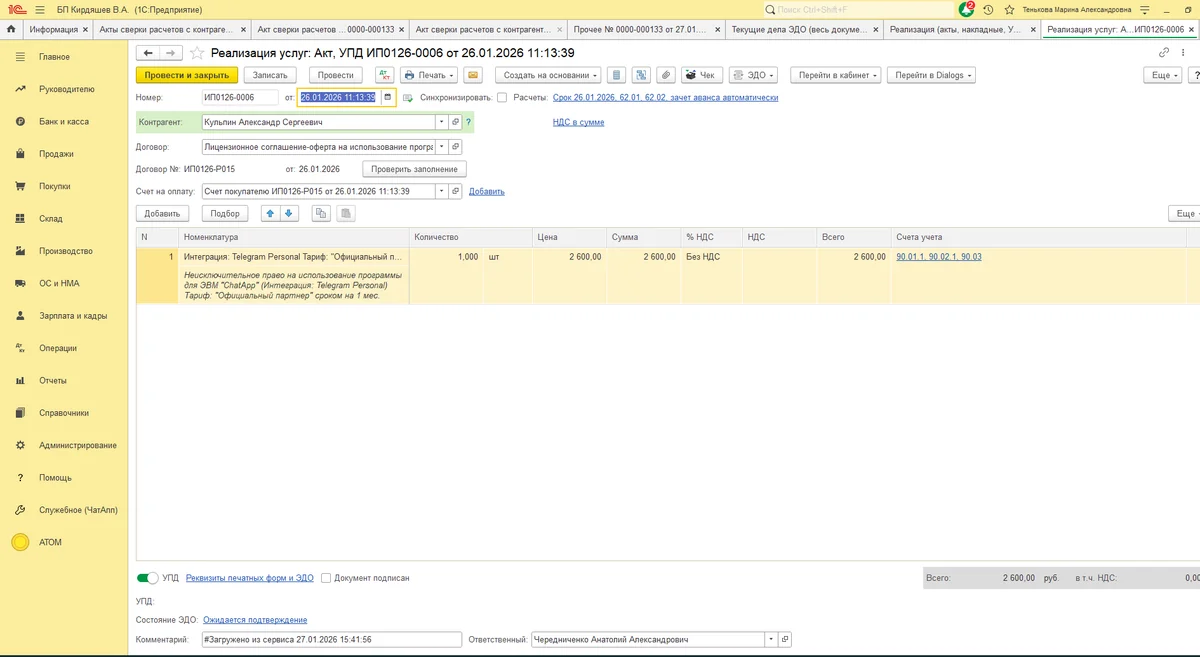
1C: chats in the client card
- Link requests to a counterparty and order
- Record the manager responsible for the conversation
- Transfer files and voice messages
- Automation scenarios for request handling
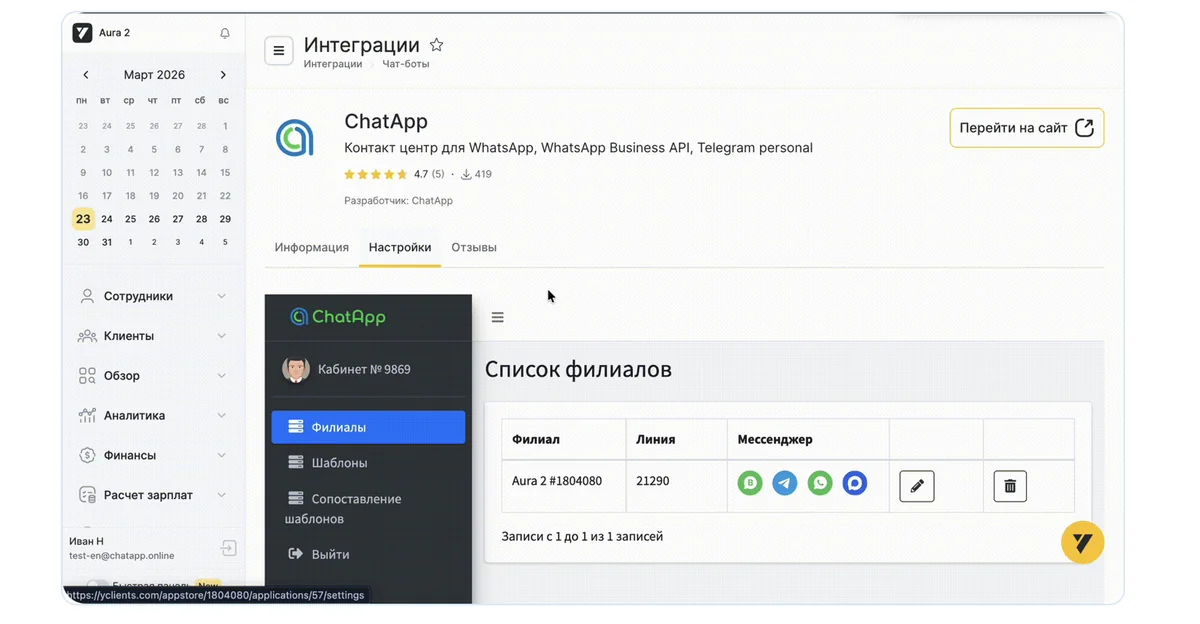
Yclients: reminders and feedback
- Appointment reminders via WhatsApp* and Telegram
- Post-visit review collection
- Bulk campaigns and customer segmentation
- Bot for re-booking and confirmations
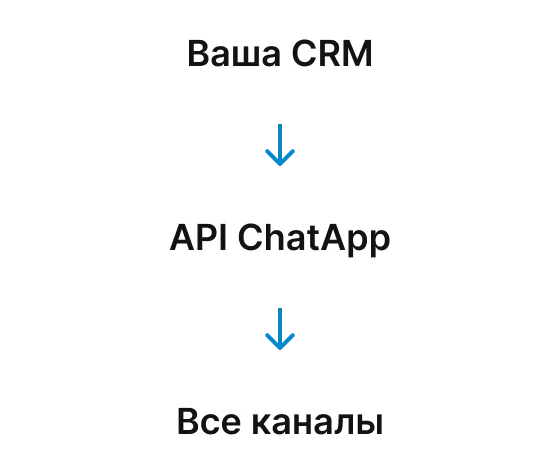
Any CRM: open API and iFrame
- iFrame: add a "Conversation" button to the client card
- Webhooks: change statuses and fields automatically
- REST API: full control over all channels
- Documentation with examples in PHP, Python and JavaScript
Go live in one working day
Install the CRM module
Install the ChatApp module from your CRM marketplace or connect via iFrame/API.

Sign up
Create a ChatApp account in 60 seconds. First 3 days — no limits, no payment.
Connect your channels
Link MAX, Telegram, WhatsApp, VKontakte — with our guide. Channels ready in 5–10 minutes.
Connect messengers
to your CRM in one day
Sign up and get 3 days of free access to all features.
No credit card, no sales call.
